
Tera VPN
VRMN TechTools
4.64.46K Reviews
- Version
- 5.1
- Installs
- 5.00M
- Age Rating
- Everyone
Screenshots
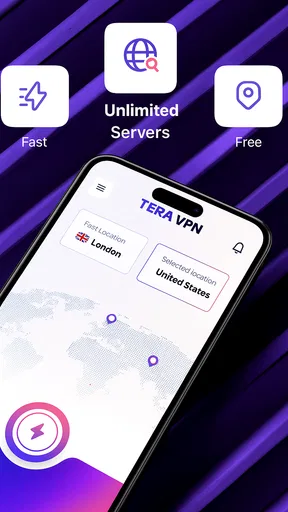
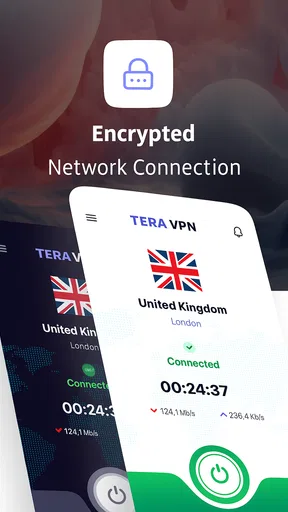

Our Review of Tera VPN
 Analysis by Appyee
I spent time with Tera VPN as a straightforward privacy and connection tool, and my first impression was that it aims to remove the usual friction from using a VPN on a phone. It comes from VRMN Tech, sits in the tools category, and is free to use. That combination makes it easy to consider when you want a quick way to change your connection route without committing to a subscription.
What makes the app interesting is not a long list of complicated controls, but the fact that it presents itself as a practical everyday utility. The store summary calls it “Fast & Secure,” while the short description simply identifies it as Tera VPN. Those brief labels do not tell the whole story, so I looked at the experience from the point of view of someone who wants a usable VPN rather than a technical project.
How Tera VPN fits into everyday use
A VPN is most useful when it solves a specific problem at the moment you need it. For me, the clearest scenario is connecting to public Wi-Fi in a café, hotel, airport, library, or shared workspace. I would open Tera VPN before handling an account, checking a private message, or using an app that I would rather not access over an openly shared connection. The benefit is not that the phone becomes magically anonymous; it is that the connection gets an additional privacy layer while traffic travels through the VPN service.
That distinction matters. A VPN can help protect traffic on an untrusted network, but it does not make every online activity private. Websites and apps may still identify me through accounts, cookies, device signals, or their own tracking systems. I would use Tera VPN as one part of sensible mobile security, alongside strong passwords, updated software, and care with links and downloads.
The app is also suitable for people who do not want to learn networking terminology. A complicated VPN client can be intimidating when it exposes protocol choices, routing rules, server diagnostics, and settings that are useful mainly to experienced users. Tera VPN makes more sense for the person who wants to connect, use the phone, and disconnect afterward. That simplicity is a strength, although it also means advanced users may find the experience less satisfying than a more configurable alternative.
Compatibility is reasonably approachable for older devices because the minimum operating system is Android 8.0. The current version is 4.8, so the app is not positioned only for brand-new phones. I would still check how it behaves on a particular device before making it part of a critical travel routine, especially if the phone has aggressive battery management or a heavily customized version of Android.
What the free price really means
The most important value point is simple: Tera VPN is free. There is no purchase price to weigh against a long-term commitment, and that makes it easy to test for a short trip, a temporary Wi-Fi concern, or occasional browsing. For someone who only needs a VPN now and then, avoiding a subscription can be more valuable than having a large collection of premium controls that never get used.
Free access should still be judged by usefulness rather than by the word “free” alone. The real question is whether the connection is dependable enough for the situations that matter to me, whether the app feels comfortable to keep installed, and whether its behavior fits my expectations. I would not choose it solely because it costs nothing; I would choose it if the no-cost experience handles my ordinary needs without creating new problems.
That is where Tera VPN has a practical advantage over many familiar alternatives. Paid VPN services often compete through longer server lists, broader configuration, dedicated support, and subscription plans. Those extras can be worthwhile for people who use a VPN constantly or need a particular location and performance profile. But if my goal is simply to add protection on occasional public networks, paying every month may be difficult to justify. Tera VPN gives that type of user a lower-risk starting point.
I would be careful not to treat the free price as proof of unlimited capability. Cost and technical performance are separate questions. A free app can be perfectly adequate for light use, while a paid service can be a better fit for demanding work. Tera VPN’s value depends on matching the tool to the job instead of expecting a free utility to replace every specialized VPN service.
The experience I found most useful
The strongest workflow is to treat the app as a quick connection switch rather than something that should run constantly without thought. Before joining a shared network, I would open the app, establish the VPN connection, and then continue with the task that needs protection. When leaving that network, I would decide whether I still needed the VPN instead of letting it run automatically forever. This habit keeps the purpose clear and makes it easier to notice when the connection changes.
Another useful approach is to test it before travel, not for the first time after arriving somewhere unfamiliar. I would try it at home on both Wi-Fi and mobile data, open the services I use most, and observe whether anything important behaves differently. This is a small preparation step, but it can reveal login prompts, slower loading, or an app that reacts badly to a changed network route before those issues become inconvenient.
I also recommend separating privacy needs from location-based expectations. Some people install a VPN mainly to access content associated with another region. That is a different requirement from securing a connection on public Wi-Fi. I would not assume that a simple free VPN is the right answer for location-specific streaming, regional services, or work systems that require a known network path. Those situations often call for a service with clearly documented locations and more predictable support.
A less obvious trade-off is convenience versus awareness. The easier an app is to use, the easier it is to forget that it is active. A VPN can affect how websites recognize a session, how banking systems assess a login, or how local services respond. My practical tip is to disconnect when an app behaves unexpectedly, retry the task normally, and then decide whether the VPN is actually necessary. That troubleshooting step can save time and prevents blaming the wrong part of the connection.
Where the app may create friction
No VPN should be judged only by its connection button. The connection itself can introduce delay because traffic takes an additional route. I would expect the effect to vary with the network I am using, the destination service, and the VPN route available at that moment. For messaging, reading, and ordinary browsing, a small difference may not matter. For video calls, large downloads, cloud gaming, or other timing-sensitive work, it can become much more noticeable.
That is one reason I would not leave Tera VPN enabled automatically for every activity without checking the result. If a video call starts stuttering or a work upload takes much longer, I would compare the task with the VPN disconnected. The app may still be useful for sensitive browsing, but not necessarily for every connection on the phone.
There is also a trust decision behind every VPN. The service becomes part of the path between the device and the internet, so I would think carefully before sending highly sensitive information through any VPN. A free price makes experimentation easier, but it does not remove the need to read the app’s own privacy and service explanations before relying on it for confidential work. For routine protection on shared Wi-Fi, I may accept that trade-off; for regulated business data or high-risk professional activity, I would look for a provider with documentation and controls suited to that environment.
People who want fine control may also find a basic VPN app limiting. Advanced users sometimes need to select a specific protocol, choose a precise server, configure split tunneling, manage automatic rules, or inspect connection details. I would choose a more specialized paid service if those controls were central to my work. Tera VPN is better understood as an accessible tool for common mobile situations, not as a complete network administration console.
Notification and battery behavior are worth considering as well. Any VPN that maintains a connection can remain visible in the phone’s status area and may affect battery use compared with an ordinary connection. I would not describe that as a flaw unique to this app; it is part of keeping a VPN active. Still, someone who wants a completely invisible, always-on experience should test the app on their own phone rather than assuming every device will handle it identically.
Who is likely to get the most value
I think Tera VPN is a sensible starting point for casual Android users who want a free privacy tool without navigating a dense settings screen. It fits students using shared campus networks, travelers connecting in hotels, remote workers occasionally using coworking Wi-Fi, and anyone who wants a simple option for coffee-shop browsing. The Everyone content rating also makes its audience broad, although younger users should still understand what a VPN does and does not protect.
It can also be useful for someone who is comparing VPN habits before paying for a service. Installing a free tool lets me discover how often I actually need a VPN, which apps I use while it is active, and whether a changed connection causes problems. That information is more valuable than buying a long plan immediately and discovering that I rarely turn it on.
The app’s popularity gives it some useful social proof without making it automatically right for everyone. It has an average rating of 4.8 from around 29 thousand ratings, and it has passed one million installs. I read those figures as evidence that many people find the basic experience worthwhile, not as a guarantee that my phone, network, and use case will behave the same way. Ratings can indicate broad satisfaction, but they cannot replace a personal test on the networks I depend on.
I would skip it if I needed a guaranteed region, a carefully documented business solution, or extensive control over routing. I would also look elsewhere if my main purpose were high-bandwidth activities where even occasional slowdowns would be unacceptable. A paid alternative may be better when support, predictable infrastructure, and advanced settings are worth paying for. The fact that Tera VPN costs nothing makes it attractive, but it does not turn every VPN requirement into the same problem.
Parents and less technical users may appreciate the simple purpose, but I would still explain that the app is not a replacement for content filtering, antivirus protection, or safe browsing habits. A VPN protects the connection in particular ways; it does not decide whether a website is trustworthy or whether a downloaded file is safe. That expectation-setting is important because the label “secure” can otherwise sound broader than it really is.
My final decision after weighing the trade-offs
My view is that Tera VPN delivers its clearest value through accessibility. It gives Android users a free way to try VPN protection without first deciding whether a recurring payment is worthwhile. For occasional public Wi-Fi use, travel preparation, and ordinary privacy-conscious browsing, that is a meaningful benefit. The app is easy to justify as a low-commitment tool, especially when I keep my expectations focused on basic VPN use.
I would install it, test it on my own networks, and keep it available for situations where the extra connection layer is useful. I would not treat it as a universal answer for streaming access, sensitive professional work, demanding performance, or advanced network control. Those needs justify comparing more specialized services, even when they cost money.
In short, Tera VPN is worth trying when the price must stay at zero and the goal is straightforward mobile VPN access. Its best quality is the low barrier to entry, while its main limitation is that a simple free tool may not satisfy users who need predictable performance or detailed control. If that balance matches your habits, it is a practical addition to an Android phone; if your requirements are specialized, I would skip the convenience and choose a service built around those specific demands.
VRMN Tech has made the app available for Everyone, and that broad positioning fits the uncomplicated role I found most convincing. I would recommend it to a friend with one condition: use it deliberately, test it before depending on it, and remember that a VPN is one privacy measure rather than a complete security system.
Verdict
Strengths of Tera VPN
- Simple one-tap connection makes it easy for beginners.
- Offers multiple server locations for more flexible browsing.
- Can help secure data on public Wi-Fi networks.
- Lightweight design generally uses little device storage.
- Useful for accessing websites when networks impose restrictions.
Limitations of Tera VPN
- Free servers may become crowded and reduce connection speeds.
- The app may request permissions users should review carefully.
- Server availability and performance can vary by location.
- VPN protection may not cover other devices on the same network.
- Some features or locations may require in-app purchases or subscriptions.
Other Releases by VRMN Tech
View All
Line VPN
Tools4.7
Similar Picks in This Category
View All
Google LLC4.0

Gboard - the Google Keyboard
Google LLC4.5

Google Play services
Google LLC4.3

Google Play Store
Google LLC4.9

Files by Google
Google LLC4.5

SHAREit: Transfer, Share Files
Smart Media4U Technology Pte.Ltd.4.3
Frequently Asked Questions
What is Tera VPN and how does it work?
Tera VPN is a virtual private network app designed to route your internet connection through a VPN server instead of connecting directly to websites and online services. This can help hide your IP address, encrypt traffic between your device and the VPN server, and provide access to servers in different locations. Its effectiveness depends on the server, connection quality, and the app’s privacy practices.
Is Tera VPN free to use, or does it require a subscription?
Tera VPN may offer free access with limitations, such as advertisements, fewer server locations, speed restrictions, or daily usage limits. Some features may require an in-app purchase or premium plan, depending on the version available for your device. Before downloading, check the current store listing and subscription terms carefully, including renewal conditions and cancellation instructions.
Does Tera VPN protect my privacy and personal data?
A VPN can improve privacy by encrypting your connection and masking your public IP address, especially when using public Wi-Fi. However, it does not make you completely anonymous and cannot protect you from phishing, malware, unsafe websites, or tracking inside apps. Review Tera VPN’s privacy policy to understand what information it collects, stores, or shares.
Can I use Tera VPN for streaming, gaming, or accessing blocked websites?
Tera VPN may be useful for browsing on restricted networks and can sometimes improve access to services available in another region. Performance for streaming and gaming depends on server distance, congestion, and whether a platform blocks VPN connections. You may experience higher latency, buffering, or connection failures, and you should always follow the terms of the services you use.
Is Tera VPN safe and compatible with my Android or iPhone?
Tera VPN should be downloaded only from a trusted official app store or verified source, since modified VPN applications can contain unwanted software or request excessive permissions. Check the listed Android or iOS requirements, developer information, recent reviews, and update history before installing. Also remember that using a VPN can affect battery life, mobile data usage, and connection speed.
